Electronic Team’s iOS utilities show why smaller, purpose-built apps still matter in a home where the phone, TV, streaming device, and wireless network all need to work together smoothly. A modern living room may start with screen size, wall distance, viewing angle, and furniture layout, but the daily experience depends just as much on software. People want to control the TV without looking for a missing remote, type into search fields without clicking letter by letter, and move photos, videos, or presentations from an iPhone to a larger screen without dealing with awkward cables or confusing menus.
That practical gap is where Electronic Team’s iOS work fits naturally. The company develops software around device connectivity, media streaming, file work, remote access, and everyday digital control. Instead of treating every app as a large platform, its iOS direction is built around focused utilities that solve one recognizable task and keep the workflow easy to understand.
Electronic Team’s approach to iOS software
Electronic Team builds tools for situations where devices are useful on their own but become more valuable when they connect well. On iOS, that means paying attention to how an iPhone or iPad can help people control screens, share media, and manage home-entertainment tasks without adding unnecessary steps.
The company’s iOS software and related guides are gathered here: https://ios.eltima.com/. That page works as a practical entry point into apps and blog content around screen mirroring, streaming, TV control, and smart-device use. The guides are important because many users do not only need an app; they also need to understand which device combinations are possible, which setup steps matter, and why one connection method may work better than another.
This approach makes Electronic Team’s iOS work feel grounded. The apps are not built around vague promises. They are built around repeated household problems: controlling a TV from a phone, sharing iOS content on a larger screen, and making mixed device setups easier to use.
Why focused utilities fit real home setups
Many homes do not belong to one clean hardware ecosystem. A person may use an iPhone with a Samsung or LG TV, a Roku device, Fire TV, Chromecast, Apple TV, Android TV, or a DLNA-compatible screen. Each device may have its remote, app, settings menu, and connection habits. That is where software design becomes important.
A strong iOS utility has to reduce the number of steps between the user and the task. It should not ask people to understand every technical detail before they can change a channel, launch an app, mirror a screen, or play a video. Electronic Team’s iOS utilities are useful because they treat these actions as separate needs rather than forcing every feature into one overloaded interface.
TVRem turns the iPhone into a more practical remote
TVRem is built around a simple, familiar problem: the physical remote is missing, slow, out of batteries, or inconvenient for typing. In many homes, the iPhone is easier to find and more comfortable to use than the remote that came with the TV or streaming device.
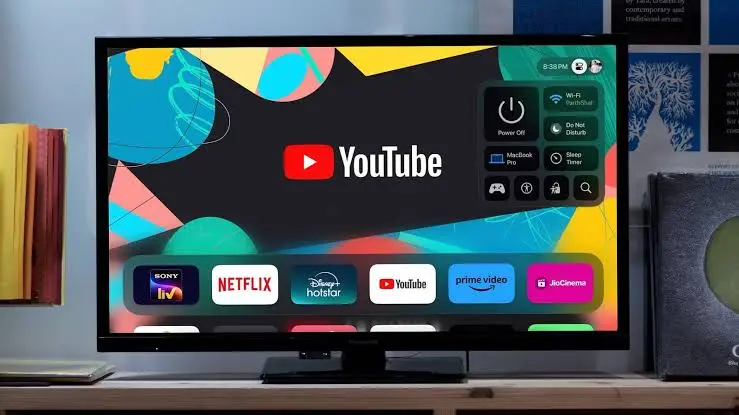
TVRem turns an iPhone or iPad into a universal remote for many smart TVs and streaming devices. It helps users handle navigation, playback, volume, search, and app access from a device they already know. That can be especially useful in homes with several TVs, mixed brands, or streaming devices that each came with a different remote.
The free positioning also fits the way people search for this type of tool. A remote app is often needed at the exact moment something is annoying: a lost remote, a slow TV keyboard, or a guest who wants to open an app quickly. TVRem keeps the promise direct, which is one reason the app makes sense inside Electronic Team’s broader iOS utility portfolio.
DoCast helps iOS content reach the bigger screen
DoCast serves another part of the same home-entertainment routine. Instead of replacing the remote, it helps users mirror an iPhone or iPad screen and stream media to larger displays. That can include photos, videos, music, browser content, or a presentation that is easier to view on a TV than on a small phone screen.
The paid model makes sense for this kind of utility because reliability matters more when other people are watching. A family looking at travel photos, guests viewing a video, or coworkers watching a presentation does not want a confusing setup or a connection that drops at the wrong moment. For screen mirroring and casting, users usually care about supported devices, image quality, smoother playback, and fewer interruptions.
DoCast also reflects a common reality of iOS users: many people like their iPhone but do not own only Apple screens. A practical casting app has to work with mixed home setups and make the large screen feel easier to use, even when the devices come from different brands.
TVRem and DoCast compared
The difference between the two apps is useful because it shows Electronic Team’s product logic. TVRem is about control. DoCast is about display. One helps people operate the TV more easily, while the other helps move content from the iPhone or iPad to a larger screen.
Keeping those jobs separate prevents a common problem in utility apps: too many features competing inside one interface. A remote app should be fast and readable from the couch. A screen-mirroring app should focus on device discovery, connection quality, playback, and a smooth handoff from phone to TV.
What app builders can learn from Electronic Team’s utility model
Electronic Team’s iOS work shows that a utility does not need to feel large to be useful. It needs a clear reason to exist, a narrow task, and a workflow that makes sense from the first use. TVRem and DoCast are good examples because their purposes are easy to explain: one controls the TV from an iPhone, and the other moves iOS content to a larger screen.
That kind of focus matters in app development. Users are quick to leave tools that feel crowded, even when the feature list looks impressive. A focused utility is easier to open again because the user remembers exactly what it does and when it helps.
There are a few practical lessons in that approach:
- Build around a problem users already recognize.
- Keep the main action visible and easy to repeat.
- Avoid turning a simple utility into a crowded platform.
- Match the app model to how often and how seriously people use the feature.
- Support the workflow with clear guides, not only app-store descriptions.
Practical iOS software still matters at home
Smart TVs may keep adding features, but the home experience still depends on simple control, reliable connections, and software that understands how people actually use their devices. TVRem makes everyday TV control easier from your iPhone. DoCast helps iOS content reach the bigger screen when a phone or tablet is too small for the moment.
Electronic Team’s iOS development work sits in that practical space. It is not about turning the iPhone into a complicated command center for the whole home. It is about building focused utilities that help the devices people already own work together with less friction.
Also Read-Enhancing Home Energy Efficiency Through Window Replacement

Add a Comment