
Measurement content works because readers want clarity. A short video draft can help explain size, scale, and everyday comparisons, but generated footage should never become the evidence for an exact measurement.
A written guide can say that 5 centimeters is just under 2 inches, that 12 inches make a foot, or that a room layout needs a certain clearance. A video can make that idea easier to picture. The risk is that a generated object, hand, room, or ruler may look convincing while still being inaccurate.
That is why measurement explainers need a careful brief. The article should hold the numbers. The video draft should help the team test the order of explanation, the comparison object, the caption space, and the visual pace before a final asset is edited.
Used carefully, Seedance 2.5 can support that planning stage by turning an approved, non-sensitive visual brief and eligible references into a short reviewable video concept. The current SeedancePro workflow presents Seedance 2.5 as supporting longer clips, multiple reference inputs, and more detailed motion direction. Teams should confirm the currently available generation limits, output settings, and usage rights inside the product before beginning a commercial or educational project.
Start With the Number That Must Stay Correct
A measurement video should begin with one value that must not drift. It may be 5 cm, 12 inches, 30 feet, a package size, a screen dimension, a layout clearance, or a comparison between metric and imperial units.
The brief should say what the viewer needs to understand. Does the video need to show approximate scale? Does it need to explain a conversion? Does it need to compare everyday objects? Does it need to show where a measurement should be checked with a real tool?
The generated draft can help with pacing and visual order, but exact values should come from the article, calculator, product sheet, building note, or other verified source. If the video shows a ruler, grid, label, or dimension line, that element should be added or checked during editing rather than trusted inside generated footage.
Choose Comparisons That Do Not Mislead
Measurement articles often use everyday objects because they make numbers easier to imagine. A coin, phone, hand, notebook, doorway, bottle, or table can help a reader visualize size. But comparisons need care.
A generated object may not match a real-world standard. A hand may vary widely by person. A phone model may have different dimensions. A room may look larger or smaller because of lens angle, camera height, or perspective. That means the final article should explain whether the comparison is approximate or exact.
A good visual brief can ask for generic, non-branded objects and leave exact values for captions. The purpose is to help readers understand scale, not to turn a generated image into a measuring tool.
Use References Without Creating Privacy or Rights Problems
Reference materials can help a measurement explainer feel grounded. A team might use original diagrams, simple conversion charts, abstract size comparison layouts, publication brand assets, product-owned references supported by the workflow, or a sanitized scene outline containing no confidential or identifying information.
The current SeedancePro workflow does not allow real human faces to be used as image or video references. Editors therefore should not upload photographs or footage showing identifiable people, even when the publication has permission to publish those materials elsewhere. Publication rights and platform eligibility are separate checks.
Teams should also avoid uploading private homes, customer photos, medical images, student images, client drawings, unreleased product files, precise location clues, or documents containing personal information. Safer planning materials include original diagrams, abstract objects, non-identifiable environments, and written scene instructions.
Keep Numbers and Labels in Post-Production
Measurement content depends on exact text. Unit labels, conversion values, dimensions, tolerances, safety notes, product sizes, and legal or building-code references should not be trusted inside generated footage.
The draft can reserve space for those details. The final wording should come from the edited article, a verified calculator, official documentation, product specifications, or approved instructional copy. If a number may change by region, product model, or use case, the caption should say so clearly.
This is especially important for measurements that affect safety, fitting, installation, health, automotive work, construction, or buying decisions. A video can illustrate the idea, but the viewer should still rely on checked numbers and real measuring tools where precision matters.
Review the Draft for Scale Accuracy
A measurement video draft should be reviewed with practical questions. Does the draft make the object look bigger or smaller than the verified value? Does the camera angle distort scale? Does the comparison object have a known size? Are all exact numbers left for editable captions?
The team should also check whether the draft implies a level of precision it cannot support. A clean animation may look authoritative, but it is still an illustration unless the numbers, labels, and source notes have been checked separately.
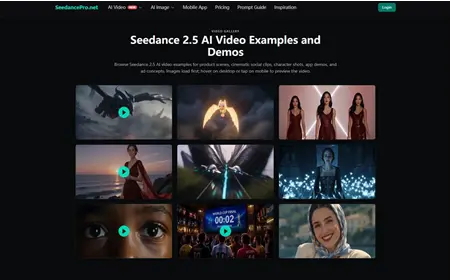
A practical AI measurement explainer workflow can give editors, educators, and content teams a draft to review before the final video or article asset is produced.
Use the Draft to Improve the Explanation
Sometimes the draft will show that the article needs clearer wording. The comparison object may be confusing. The unit conversion may need to appear earlier. The visual may need a simpler object. The caption may need to explain whether the comparison is exact or approximate.
That feedback is useful before publication. It can help the team rewrite a paragraph, add a conversion table, choose a better image, or decide that a static diagram is clearer than a video.
Measurement content earns trust by being clear and accurate. AI video can make a size idea easier to discuss, but it should not become the source of the measurement. Used that way, Seedance 2.5 can help teams plan visual explainers while keeping verified numbers in control.
Also Read-Tech Leader Onboarding Checklist for High-Growth Companies

Add a Comment