
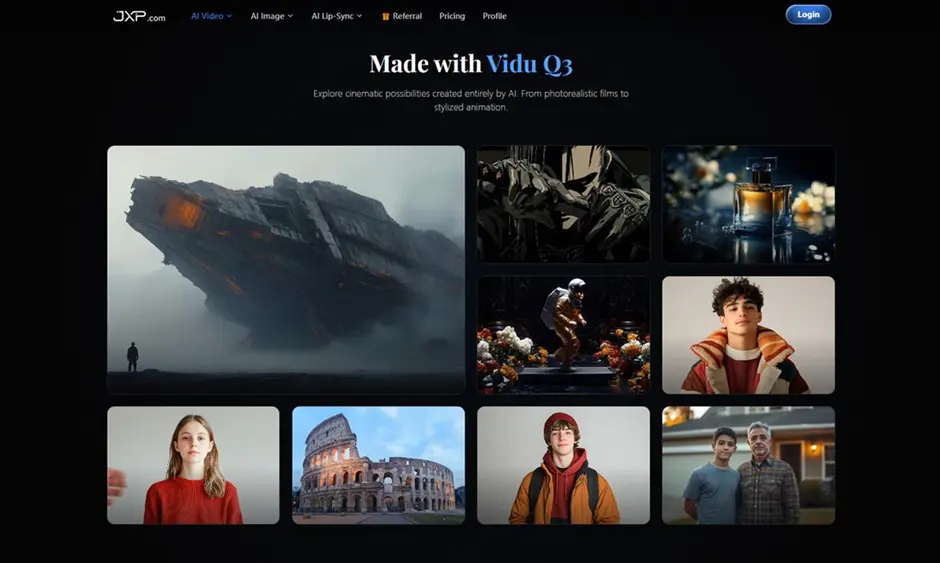
AI video tools are becoming easier to use, but getting a useful result still depends on how well the tool handles structure. A short clip is not just a moving image. It needs a subject, a clear action, stable camera movement, and enough visual rhythm to make the idea understandable.
That is where Vidu Q3 is worth looking at from a practical creator’s point of view. It is designed for short cinematic video generation, with support for text-to-video, image-to-video, longer 16-second outputs, camera control, multi-shot storytelling, 1080P quality, and native audio-video synchronization.
This does not mean every clip should be treated as a finished campaign asset right away. A better way to use Vidu Q3 is as a fast creative testing tool. It can help you see whether a video idea has enough shape before you spend more time editing, scripting, or building a complete production workflow.
Why Short AI Videos Need More Than a Prompt
Many AI video results look interesting for the first second, then become confusing. The camera may drift without purpose, the subject may change shape, or the scene may not communicate the original idea clearly.
For everyday creators, this is a real problem. If you are making a product demo, a social video, a short brand scene, or a visual concept for a client, the viewer needs to understand what is happening quickly.
Vidu Q3 focuses on giving these short clips more structure. The 16-second generation length is helpful because it gives enough time for a small story arc. A video can open with a subject, show movement or interaction, and end with a simple payoff. That extra time makes the result feel less like a random visual loop and more like a usable mini-scene.
Text-to-Video for Quick Idea Testing
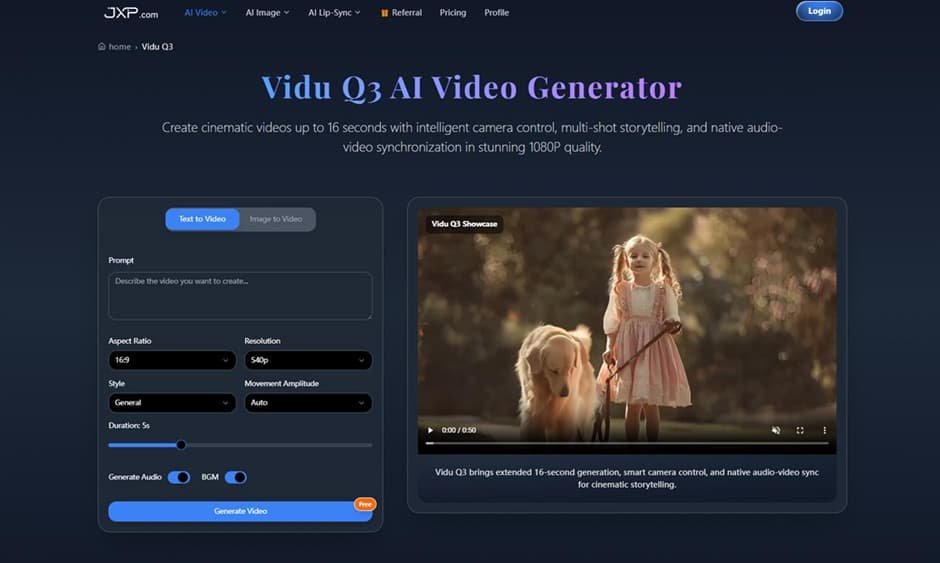
Text-to-video is useful when you have an idea but no visual material yet. You can describe the scene, camera movement, lighting, and mood, then use the output to judge whether the direction works.
For example, instead of writing only “a futuristic product video,” a better prompt would describe the product placement, background, camera motion, and intended feeling. A clear prompt gives the model more useful instructions and makes the final video easier to evaluate.
This is where Vidu Q3 can fit into a simple creative routine. Start with a rough concept, generate a short version, then revise the prompt based on what works. You can test multiple angles before deciding which one deserves more attention.
Image-to-Video for More Visual Control
Sometimes the best starting point is not text. If you already have a product image, a character concept, a design mockup, or a scene reference, image-to-video can help keep the result closer to your intended look.
This is useful for creators who care about consistency. A product demo should not change the product halfway through the clip. A brand visual should keep a similar mood. A concept video should preserve the main subject instead of replacing it with something unrelated.
By uploading a reference image, users can guide the direction more clearly. The image gives the video generator a visual base, while the prompt explains what should happen in the scene.
Camera Control Makes the Clip Feel More Directed
One of the stronger use cases for Vidu Q3 is camera movement. Short AI videos often feel better when the motion has a purpose. A slow push-in can make a product feel important. A tracking shot can follow action. A pan can reveal more of a location. An orbit movement can create a cinematic product or character moment.
These details matter because camera movement affects how viewers read the scene. A clip with random motion may look busy, but a clip with intentional movement feels easier to follow.
For marketers, educators, and content creators, this can be useful when building quick visual explanations. Instead of creating a static image and adding movement later, the motion can be part of the video idea from the beginning.
Multi-Shot Storytelling in a Short Format
A 16-second video may sound brief, but it is enough for simple storytelling if the shots are arranged clearly. Vidu Q3 supports multi-shot narrative generation, which means a video can shift between angles within a single short clip.
This can help with small story formats such as:
Product reveal videos
Short social media hooks
Mini tutorial intros
Brand mood scenes
Creative campaign previews
Simple before-and-after concepts
Short trailer-style visuals
The goal is not to replace full editing. The goal is to create a stronger first version. If the generated clip already shows a clear beginning, middle, and ending, it becomes easier to decide what to refine next.
Native Audio-Video Sync Adds Context
Sound can make a short video feel more complete. Vidu Q3 includes native audio-video synchronization, including sound effects, background music, and dialogue aligned with on-screen action.
This is helpful during early review. A silent video may look fine, but it can be hard to judge pacing or emotional tone without sound. When audio is included earlier, creators can better understand whether the clip feels dramatic, playful, calm, polished, or energetic.
For social media and advertising concepts, this matters because viewers often respond to rhythm as much as imagery. Even if the final audio is changed later, a synced draft can help guide the creative direction.
Where Vidu Q3 Works Best
From a practical user’s perspective, Vidu Q3 works best when the project needs a fast visual draft with enough polish to evaluate. It is especially useful for marketing previews, product demonstrations, short films, creative storytelling, and social media content.
A small business could use it to test a promotional video idea. A creator could use it to compare several short-form concepts. A designer could use it to turn a still image into a moving scene. A teacher or trainer could use it to create a quick visual example for a lesson.
The common thread is speed. When you can generate and compare video directions quickly, you can make better creative decisions before spending more time on production.
Simple Tips for Better Results
Good prompts still matter. To get better outputs, describe the subject clearly and include action, environment, camera movement, lighting, and tone.
Instead of writing a very broad prompt, try building it in parts:
Subject: what or who appears in the scene
Action: what happens during the clip
Camera: push-in, pan, tracking shot, zoom, or orbit
Style: realistic, cinematic, animated, product-focused, or dramatic
Audio: background music, sound effects, or dialogue direction
Purpose: social post, product demo, ad concept, short story, or tutorial
This makes the video easier to guide and easier to judge afterward.
Final Thoughts
Vidu Q3 is useful because it treats short AI video creation as more than a quick visual trick. Its longer 16-second generation, camera movement options, image-to-video support, multi-shot structure, 1080P output, and audio-video sync make it practical for creators who need clearer video drafts.
For most users, the best approach is to use it as part of the creative planning process. Generate a draft, review the scene, adjust the prompt, and compare versions. That workflow keeps the tool flexible without forcing every result to be final.
If your work involves product visuals, social videos, short ads, educational clips, or creative concept testing, Vidu Q3 offers a clear way to move from idea to video faster while still keeping the result structured and understandable.
Also Read-How Is Property Divided in Australia After Separation and Why It Is Not Always Fifty Fifty

Add a Comment