
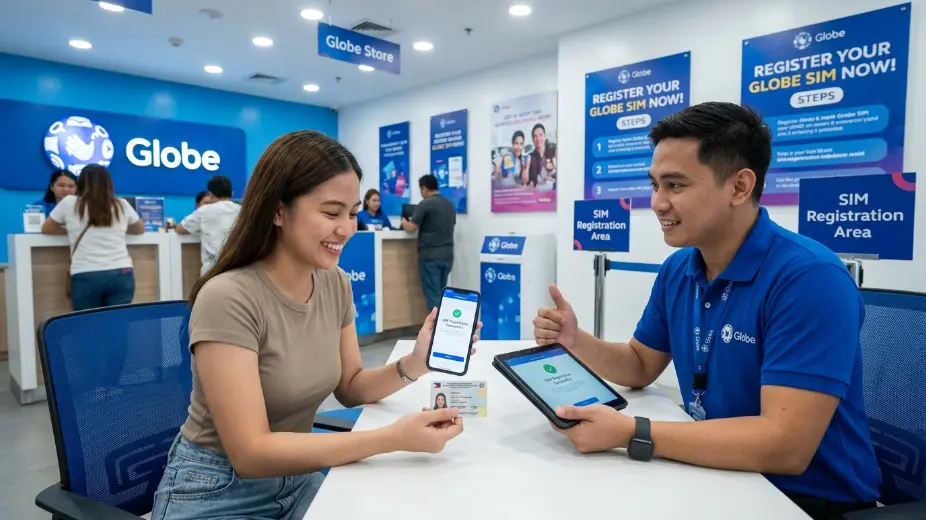
If you want to check sim registration globe, the easiest way is to use Globe’s official tools and confirmation messages. Globe says prepaid users can verify registration through a confirmation SMS, the GlobeOne app’s registered badge, or the official registration portal if the SMS did not arrive. Postpaid users are already in Globe’s database, but Globe may still contact them to confirm or update details.This guide explains how to verify your Globe SIM in a very simple way. It also shows what to do if you did not get the confirmation text, what the reference number means, and where to go if your SIM still has a problem after registration.
What SIM registration means
SIM registration is Globe’s way of matching a mobile number with the real person who uses it. Globe’s registration page says users must enter a mobile number, get an OTP, fill in personal details, take a selfie, upload a valid government ID, and submit the form. After that, a reference number appears on the screen as proof that registration is complete. This matters because the goal is not only to follow the law. It also helps protect users from spam, phishing, and scams. Globe says the registration process is part of keeping mobile service safer for everyone.
The fastest way to verify your Globe SIM
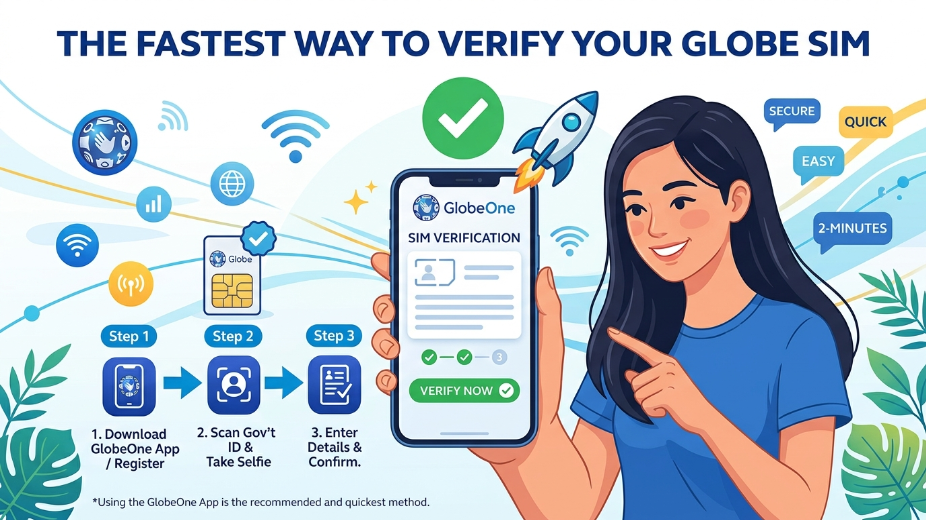
The fastest way to verify your Globe SIM is to look for the confirmation text after you register. Globe says prepaid users should receive a confirmation SMS that says the registration was successful. If you get that text, it is a strong sign that your SIM is registered. If you are using the GlobeOne app, Globe says you can also check for the registered badge in the app. That badge confirms the SIM registration status. This is one of the simplest ways to see if your SIM is already verified.
If you did not get an SMS, Globe says you can still check the status through the official Globe registration portal by entering your number. That is the backup check many users need.
How to verify a prepaid Globe SIM
For prepaid users, Globe gives three main signs that the SIM is verified. First, you should get an SMS after registration. Second, you can check the GlobeOne app for the registered badge. Third, you can return to the official registration portal and enter your number to see if the process was successful. Globe’s step-by-step guide also shows the full prepaid flow. You visit the official SIM registration portal, type your 10-digit mobile number, wait for the OTP, enter the OTP, complete the form, upload your ID, take a selfie, accept the privacy notice, and submit the form. Globe then shows a reference number on the screen. Keep that number, because Globe says it is proof of registration.
That reference number is important. Even if the SMS arrives later, the number on the screen helps you prove that the process was finished. Globe says you should keep it for future concerns.
How to verify a postpaid Globe SIM
Postpaid users have a slightly different path. Globe says postpaid customers are already part of its database, so the information is already there. Still, Globe may contact them to confirm or update their details to stay aligned with the law.
If you are a postpaid user and you get a message asking you to confirm your details, Globe says you can text SIMREG to 8080 to finish the confirmation. Globe also says that if you need to change your details, you should visit a Globe store for help.
This is why postpaid verification feels a little easier. Most of the information is already in the system. But you still need to pay attention if Globe asks you to confirm something.
How to verify Globe AT HOME or Home Prepaid WiFi
Globe also has special steps for AT HOME and Home Prepaid WiFi users. In the registration guide, Globe says AT HOME users should wait for a text message asking them to confirm their registration details. To confirm, they should text SIMREG with their account number and wireless landline or Super Home Phone number to 268204. Globe then sends a confirmation text that the SIM is now registered.
For new Globe AT HOME Prepaid WiFi users, Globe says the setup can also be done through the GlobeOne app or the registration website. Users need to enter the details, upload an ID, take a selfie, and complete the OTP step before the reference number and confirmation message appear.
So if your Globe SIM is part of a home internet kit, the verification steps are a little different from a normal prepaid mobile SIM. The key is to follow the right path for your service type.
What to do if you did not get the confirmation SMS
Many users worry when the SMS does not arrive right away. Globe says that if you registered on its portal but did not receive the confirmation SMS, you should go back to the official registration portal and enter your number to check if the registration was successful.
Globe also says to check your SIM signal first. If your SIM has signal and you still need the OTP again during registration, you can use the “Resend OTP” option on the portal. This helps when the first text does not come through.
Sometimes the issue is not the registration at all. It can be a signal problem, a wrong number, or a delayed message. That is why the portal check is so useful. It gives you another way to confirm your status.
What to do if the ID and details do not match
Globe says some users get an error that the details entered do not match the ID. If that happens, Globe advises users to take the selfie in a well-lit area, use a plain background, remove eyeglasses and other accessories, make sure the ID is clear and unexpired, and check that the personal details match the uploaded document.
This part is very important because a mismatch can slow down verification. If the name, birthday, address, or ID photo does not line up, the system may reject the submission. A careful review before sending can save a lot of time later.
Globe also says its platform uses OCR, data-matching tools, and a selfie requirement to reduce fake submissions. In late 2023, Globe said it upgraded the platform and aimed to verify data as fast as 24 hours.
Why the reference number matters
After you finish registration, Globe says a reference number will appear on your screen. That number is proof that you completed the process. Globe also says to keep it for future concerns.
This is useful if you ever need to ask Globe about your registration later. Even if the text message is delayed, the reference number shows that the submission went through. It is smart to save it right away.
How to use the GlobeOne app to check status
The GlobeOne app is one of the easiest ways to check if your SIM is registered. Globe says prepaid users can look for the registered badge in the app to confirm registration. That badge is a quick visual sign that your SIM is already verified.
The app is also useful because it brings a few services into one place. Globe says it can be used for SIM registration and other account tasks. For many users, that makes the app the fastest option, especially if they do not want to keep checking SMS messages. (globe.com.ph)
What to do if your SIM is still not working
Sometimes a SIM is registered but still has a problem. Globe says that if you have already registered but the SIM still is not working, you should contact Globe through Facebook Messenger or visit the nearest Globe store. For business prepaid users, Globe gives a separate email and hotline.
This is helpful for people who need their number for banking, OTPs, GCash, or daily calls and texts. If the SIM is not behaving right after registration, Globe says the best next step is support from the company itself.
Globe also says that if a phone or device with a registered SIM is lost, the user should notify Globe right away with the full name, address, date of birth, and mobile number. Globe says the lost prepaid SIM will be permanently deactivated and replaced with a new SIM using the same number.
Can you register more than one SIM?
Yes. Globe says you must register each SIM individually under your name. That means every SIM needs its own registration process. You cannot treat one SIM as if it covers all of them.
This rule helps keep records clean and clear. If you use more than one Globe SIM, it is a good idea to check each one on its own and save each reference number after registration.
How long the verification may take
Globe said in a December 2023 update that its SIM registration platform was upgraded to support data verification in as fast as 24 hours. Globe also said it used OCR, data matching, and selfie checks to help cut down on fraud.
That does not mean every case is instant. Some users may still wait a bit for the confirmation text or for the status to update. But the process was built to move faster and to check the details more carefully.
So if you just finished the form and do not see a confirmation right away, give the system a little time. Then check the portal or the app again before you worry.
Simple signs your Globe SIM is verified
A verified Globe SIM usually shows one or more of these signs: a confirmation SMS, a registered badge in the GlobeOne app, a successful check on the official portal, or a reference number after submission. Globe lists these as the main ways prepaid users can confirm their registration.
For postpaid users, the sign may be a confirmation message from Globe asking them to verify or update details. For AT HOME users, it may be the reply after texting the right SIMREG format to the correct number.
The main idea is simple. If you have a successful message or a registered badge, your SIM is likely verified. If you do not, use the portal check or contact Globe support.
Common mistakes to avoid
One common mistake is using the wrong mobile number when checking the portal. Another is missing the OTP window, since Globe says the OTP expires in five minutes. A third mistake is forgetting to keep the reference number after registration.
Another mistake is not matching the selfie and ID details well. Globe says the ID should be clear, unexpired, and well lit, and the selfie should be taken in a clean, bright space. Small errors can lead to mismatch problems.
A final mistake is using old or unofficial instructions from random websites. Globe’s own help pages are the safest place to check because they show the current steps and the current verification options.
Final thoughts
Verifying a Globe SIM is not hard when you use the official steps. For prepaid users, the main signs are the confirmation SMS, the GlobeOne app’s registered badge, and the official portal check if the text does not arrive. For postpaid users, the information is already in Globe’s system, but Globe may still ask for confirmation or updates. For AT HOME users, the confirmation flow uses a different text format and number.
The safest rule is this: complete the form carefully, save your reference number, and check the official Globe tools if you are unsure. Globe’s own pages make the process clear, and they also give you help if something goes wrong. That is the best way to keep your number active and fully verified.
Also Read-Business Residence Permit in Poland (2026): Income vs Potential

Add a Comment