
A useful AI video test starts before the first prompt. Creators get better results when they prepare references, scene notes and review standards before opening a generator.
AI video tools are becoming easier to try, but they are not always easy to judge. A short clip can look impressive on the first watch and still be hard to use in a real project. The product may shift between frames, the camera may move without purpose, or the scene may look polished without communicating the idea clearly.
That is why preparation matters. Before testing a new video model, creators should know what they want to make, which assets need to stay consistent and how the result will be reviewed. This turns AI video from a guessing game into a more practical creative process.
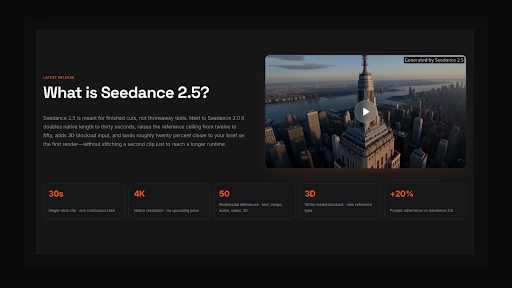
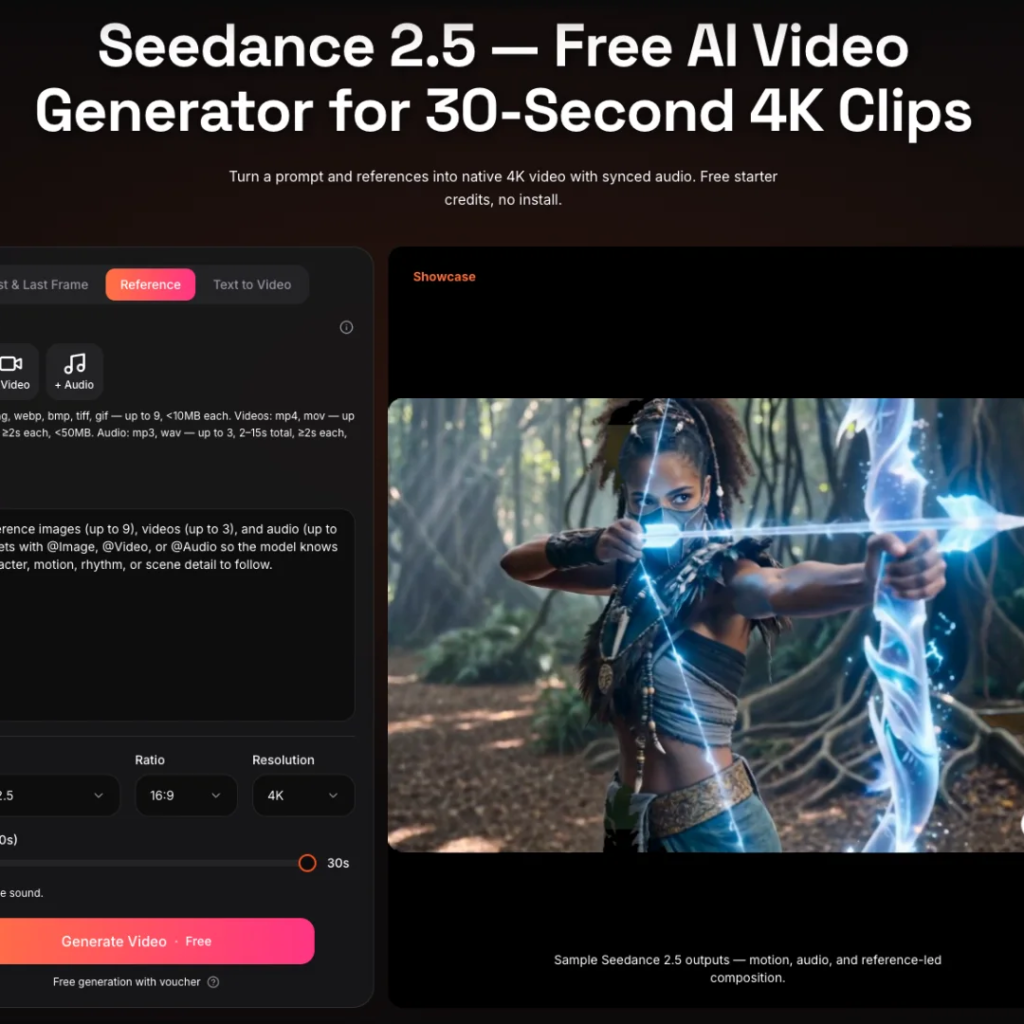
The interest around Seedance 2.5 fits this shift. The platform positions the model around longer 30-second video generation, native 4K output, multimodal references and a browser-based workflow. Those ideas are useful, but only when creators bring enough structure to the test.
Start With One Clear Video Goal
The first step is to choose one real goal instead of testing random prompts. A creator might want a product teaser, a vertical social clip, a short explainer, a campaign mood video or a storyboard-style draft. Each of those goals needs a different kind of prompt and a different way to judge the output.
A product teaser should keep the item recognizable. A social clip needs a strong opening. A storyboard draft needs clear scene movement. A landing page video needs a clean final frame and a message that is easy to understand. Without a goal, it is too easy to confuse novelty with usefulness.
A simple test brief can be short. Write what the video is for, who will watch it, what object or character must stay consistent and where the clip may be published. That small amount of planning can save several rounds of weak generation later.
Collect Better References
Prompts are important, but text alone often leaves too much open to interpretation. If a creator asks for a “premium product scene,” the result might be minimal, glossy, cinematic or generic. The model has to guess unless the creator provides more context.
References help guide that context. A product photo can define the main subject. A style image can show colour and lighting. A short clip can suggest camera motion. Audio can establish timing, mood or rhythm. The point is not to upload every asset available, but to choose references that each have a clear job.
For a focused test, prepare three to five references:
- one main subject or product image
- one style or mood reference
- one motion or camera reference, if available
- one short script or scene note
- one final-frame description
Write Prompts Like Scene Directions
A stronger prompt usually reads less like a search query and more like a short scene direction. It should say what appears first, how the subject moves, what the camera does and where the clip should end. This is especially important for longer AI video, where a vague prompt has more time to drift.
Instead of writing, “make a futuristic product video,” a creator can write a clearer version: “Open on the product standing on a clean desk, camera slowly pushes in, light moves across the surface, product rotates slightly, end on a centered hero frame with a simple background.” The second prompt gives the model a sequence to follow.
This style of prompting also makes review easier. If the output fails, the creator can see whether the issue came from subject identity, motion, lighting, timing or the final frame. That is more useful than simply saying the video did not look right.
Check Whether the Clip Can Be Used
When a video comes back, the first question should not be “Does it look cool?” The better question is “Can this become useful?” A usable draft should be clear enough for review, stable enough to build on and flexible enough for the channel where it will appear.
For example, a clip intended for a product page needs a readable subject and a clean composition. A social video may need stronger movement in the first few seconds. A training clip may need slower pacing and fewer distracting details. A client concept may need enough polish to explain the direction without pretending it is the final production.
This is where Seedance 2.5 AI video creation should be evaluated through real scenarios. If the workflow helps creators move from written ideas to visual drafts with fewer restarts, it becomes more than a fun experiment.
Review Consistency Before Polish
High resolution is helpful, but consistency often matters more. A clip can be sharp and still fail if the product changes shape, the character’s face drifts or the background ignores the reference. Creators should review the practical details before deciding whether a video is strong.
A quick consistency check can include:
- Does the main subject remain recognizable?
- Does the scene follow the intended motion?
- Does the lighting match the reference?
- Does the ending frame work for editing or publishing?
- Can the same prompt be adjusted for a better second version?
These checks make the testing process more honest. They also help creators build a small prompt library for future projects.
Keep a Simple Testing Record
One habit many creators skip is documentation. If a result works, save the prompt, references, settings and notes. If a result fails, write down what went wrong. This makes the next attempt easier and keeps good tests from being lost.
A small record can include the project goal, prompt, reference names, output format, review notes and next change. It does not need to be complex. The point is to make AI video repeatable instead of accidental.
This is especially useful for teams. When more than one person reviews video drafts, a shared record helps explain why one version worked and another did not.
Final Thoughts
Seedance 2.5 is being watched because it speaks to practical needs in AI video: longer clips, richer references, higher-quality output and a more direct route from idea to draft. But the quality of the test still depends on the creator’s preparation.
Before trying it seriously, creators should prepare a real use case, a focused reference pack, clear scene directions and a simple review checklist. That approach makes the tool easier to judge and gives every generation a better chance of becoming useful creative work.
Read more: Essential Safety Tips for Installing Solar Panels at Home –
How AI Software Development Is Transforming Modern Business Operations –
How to Choose the Perfect Crossbody Bag for Women: A Complete Buying Guide –

Add a Comment